A connected desktop filmmaking workspace
Screenwriting, storyboarding
& shot planning software.
Page & Frame connects your screenplay, storyboards, reusable 3D sets and shot lists in one local project. Core writing and planning work offline without an account or AI subscription.
Development build: Apple Silicon Mac beta in preparation; Windows and Intel Mac validation remain pending. No public download or checkout yet.
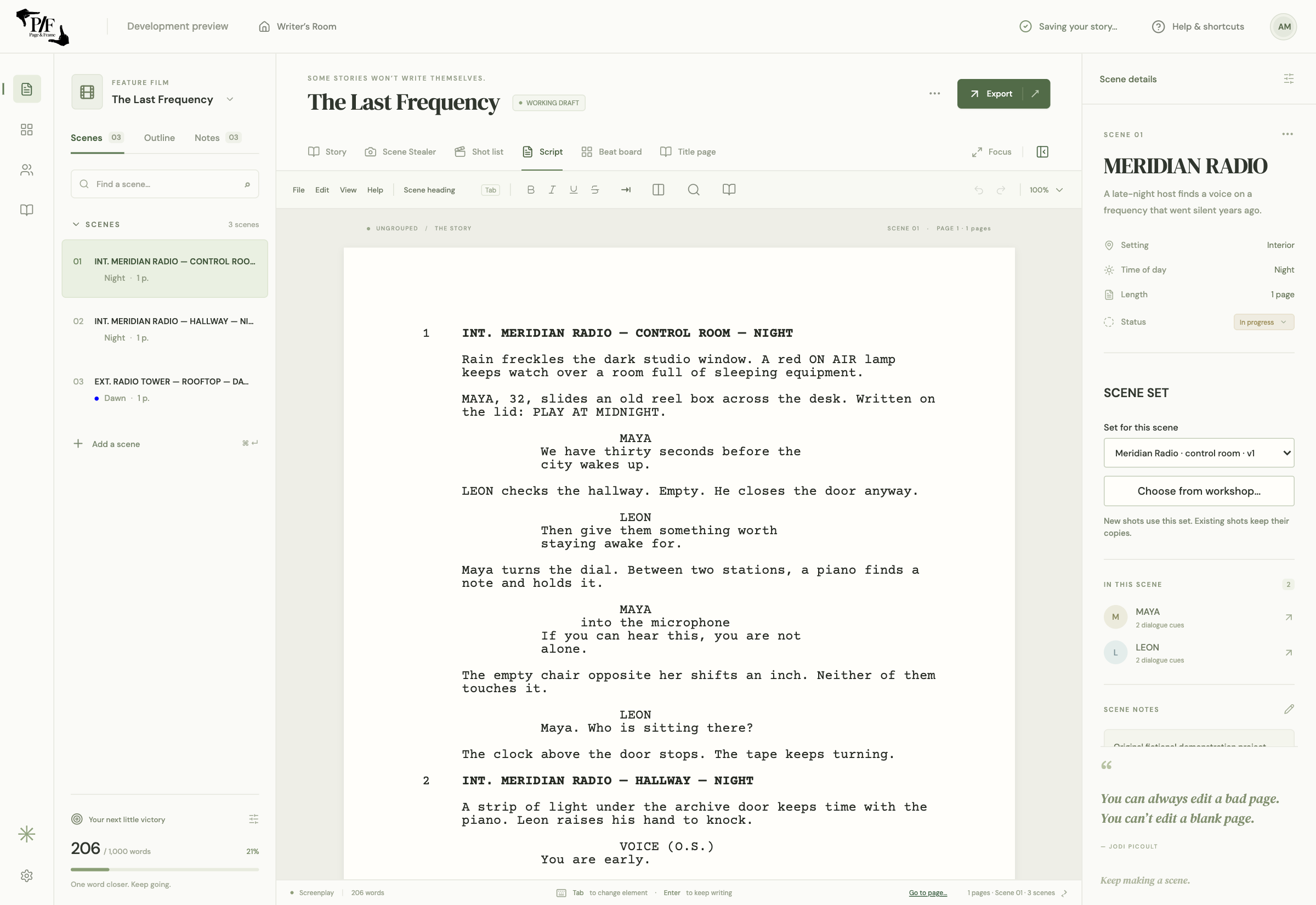
Screenwriting software with FDX import.
Start with a new screenplay or import a Final Draft (.fdx) or Fountain script. Write using screenplay elements, inline formatting, dual dialogue, title pages, scene navigation and search. Save a native project locally, with previous-save backups and recovery tools.
Use Story for independent planning beats with notes and links into actual screenplay scenes. The scene beat board separately organizes script scenes into acts and sequences and can change screenplay order. Story planning moves do not silently reorder screenplay scenes.
In our fictional radio-station example, a beat about an unexpected broadcast links to the control-room conversation. Open that scene, refine the dialogue and choose the room’s saved set without leaving the project.
Launch compatibility focuses on importing an FDX screenplay and continuing in Page & Frame. Full imported revision/version history, guaranteed edited FDX round trips and identical Final Draft pagination are deferred. Keep your original file and inspect the compatibility report.
Storyboard software linked to the script.
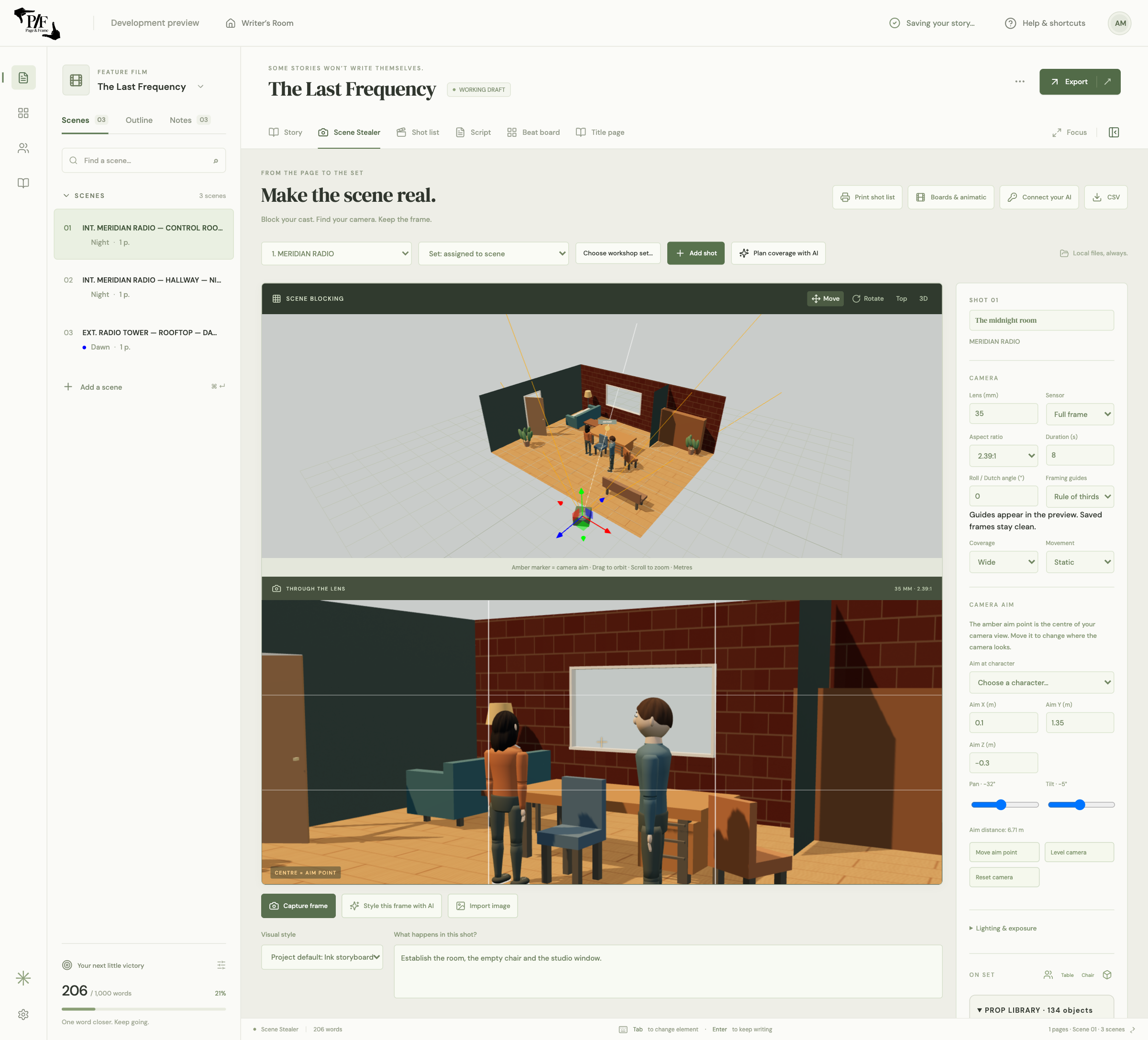
Create scene-linked storyboard frames by capturing the 3D camera or importing your own images. Arrange coverage, add descriptions and notes, and keep the visual sequence connected to the screenplay scene it covers.
Optional own-key image generation can style a frame as a pencil sketch, ink drawing, photoreal image, comic, watercolour or custom direction. It uses your provider account and may incur provider charges. Manual storyboarding and 3D planning do not need AI.
Export a storyboard PDF on Letter or A4 with 2, 4 or 6 frames per page. Use the animatic workspace to preview saved frames, adjust shot durations and export a silent WebM sequence with shot slates and timecode.
The current animatic workflow uses saved images. Audio, MP4 export and animated camera moves remain later work. Imported pictures and generated frames are ordinary local files alongside the project, rather than an image database.
Reusable 3D set design for filmmakers.
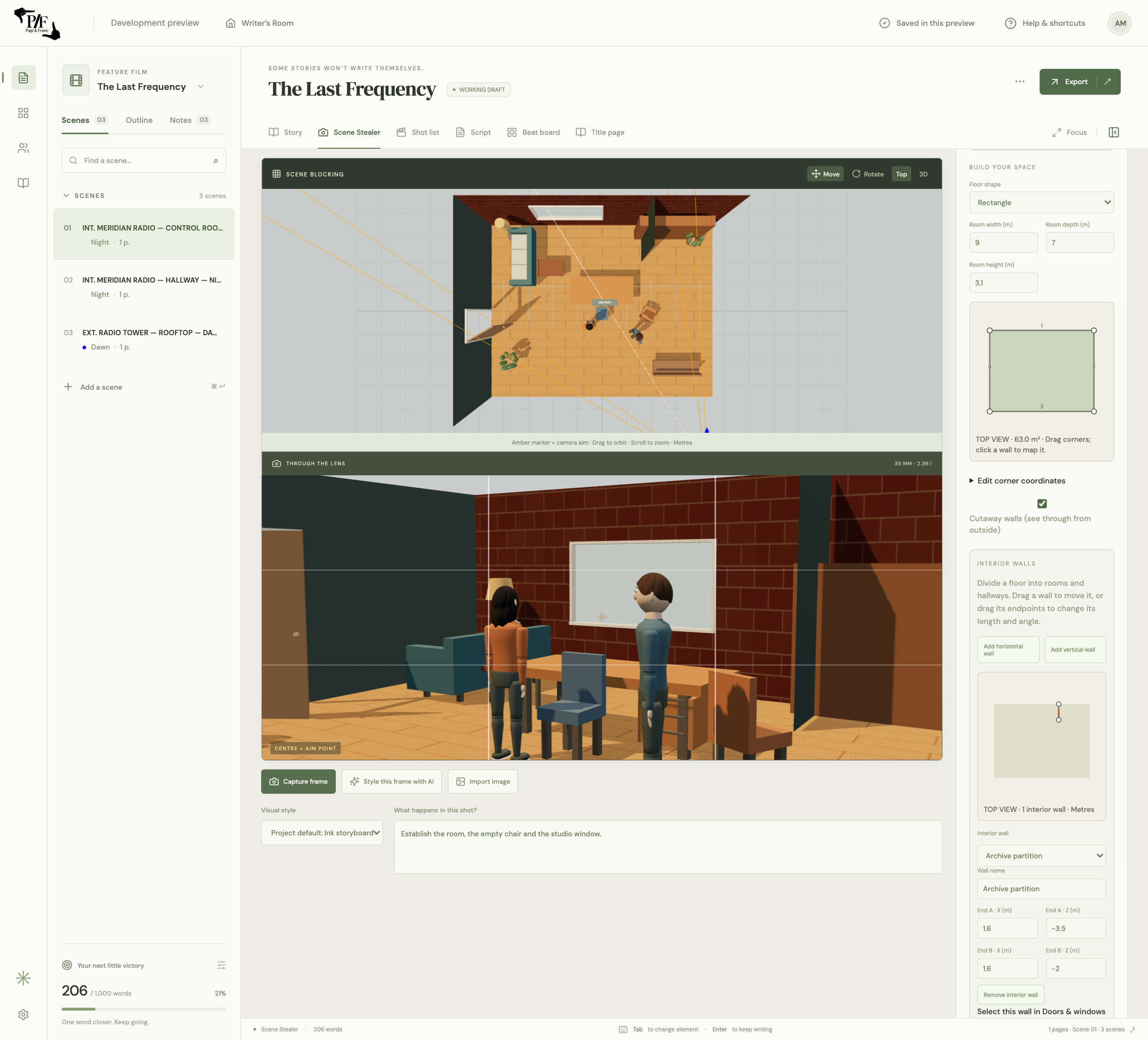
Build a location in the workshop before writing a scene, or develop it while staging coverage. Shape a floor plan, add interior walls for rooms and hallways, and position and resize wall-attached doors and windows.
Dress the location with built-in furniture, household objects, street items, plants and other props, or import supported self-contained GLB models. Choose default floor and wall materials for quick blocking, then map your own reference photos onto individual surfaces when useful.
Save the layout as a set and choose it from a screenplay scene. New shots can begin from that location. Existing shots retain their own copies, so changing a library set does not unexpectedly change earlier coverage.
For the radio station, this means one control-room layout can support a wide shot, a close-up and a doorway angle. Photo mapping is manual geometry and texture placement; it is not automatic 3D reconstruction from a photograph.
Shot list and camera-blocking software.
Place characters and props, select poses, set a camera aim point, and explore focal length and aspect ratio. The scene-blocking view shows the spatial arrangement while the camera preview shows the frame. Character art is currently stylized.
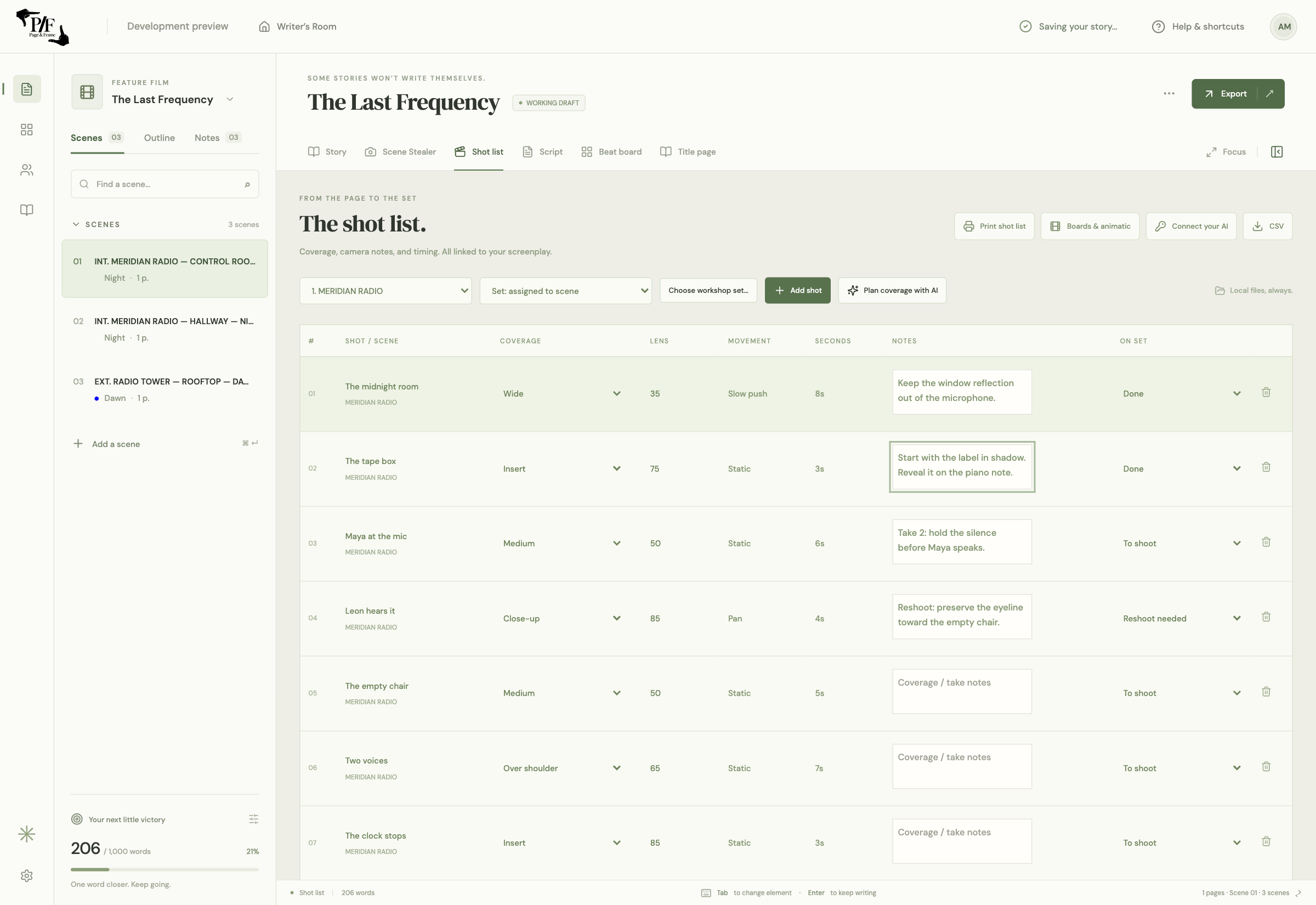
Organize shots with lens, size, movement, duration, description and notes. Edit on-set status as To shoot, Done or Reshoot needed. Shot data stays associated with the screenplay scene and saves with the local project.
Print a shot list or save a PDF with 4, 6 or 8 shots per page on Letter or A4. Choose the current scene or all shots. Each row provides notes space and Done / Reshoot boxes; long text continues in an appendix.
This is a creative planning workflow. It does not claim production scheduling, call-sheet, AR, FaceCap/PoseCap or MP4/NLE feature parity with specialist tools. The comparison page lists current platform, pricing and compatibility differences.
Choose the workflow you need.
For a closer comparison with Final Draft and Previs Pro, see the product comparison. Other established approaches include Celtx’s writing and production tools, StudioBinder’s shot-list workflow and Boords’ collaborative storyboards and client review. Review their current features if collaboration or production coordination is central to your work.
Page & Frame’s focus is a connected local path from story planning to writing, set design and coverage. Its announced price is US$69.99 at launch and US$99.99 regular, as a planned one-time desktop purchase. Purchase and update terms will be published before sales open.
Join the launch listPublished by Level Up Classroom Inc. Updated October 26, 2026. Product names belong to their respective owners; Page & Frame is independent. These descriptions refer to the development build, not a claim of complete feature parity.